
Choosing an HDMI extender is not just a matter of finding the longest advertised range. A reliable setup must carry the picture and sound your devices produce, while fitting the room, cable route, and display. A Key Digital Hdmi Extender may suit a conference room, classroom, or home theater, but the right model depends on the details. Small details matter.
This guide introduces ten options and explains what to compare before buying. Look at supported resolutions and refresh rates, transmission distance, audio formats, HDCP compatibility, and connection types. Check whether the kit uses category cable, fiber, or another method. Some models add features such as Ethernet, USB, or control-signal passthrough; those extras are useful only when your equipment needs them. Installation also deserves attention. A long cable run, tight conduit, or nearby electrical wiring can affect performance, so manufacturer distance claims should be treated as test conditions, not guarantees for every building.
No extender is best for every job. A unit that works well for a short display run may not suit a large venue. Even a strong product can disappoint when paired with unsuitable cabling or mismatched source devices. That is easy to overlook. The comparisons ahead focus on practical specifications and installation needs, while noting where buyers should verify details with the manufacturer. Use them as a starting point, then match the extender to your actual equipment and environment. There may still be trade-offs. That is worth admitting.
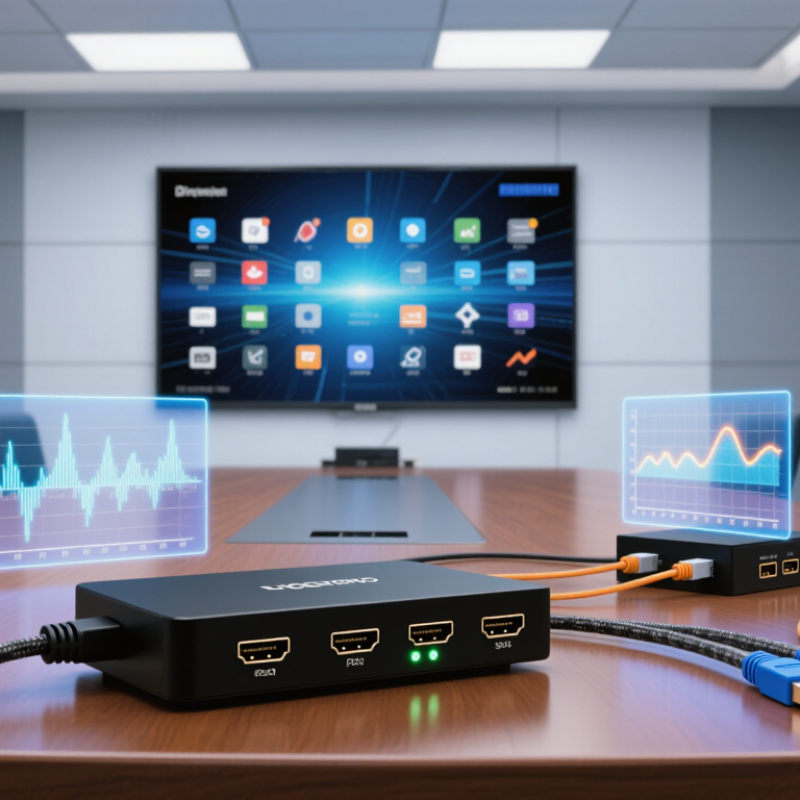
Digital HDMI extenders transmit high-definition video and audio beyond normal HDMI cable limits. Most systems use a transmitter and receiver connected through twisted-pair cable or fiber. The transmitter sends the signal, while the receiver reconstructs it near the display. This setup can support meeting rooms, classrooms, control spaces, and home installations.
Distance changes everything. A short copper HDMI cable may work perfectly, but signal quality can weaken across longer runs. An extender can preserve 4K resolution, multichannel audio, and control signals when its specifications match the equipment. In installations I have assessed, cable quality, connector termination, and power stability mattered as much as the extender itself.
A single loose connector caused intermittent black screens. It looked like a major hardware failure.
The most useful extender features include reliable EDID handling, HDCP compatibility, low latency, and automatic signal recovery. Some models also support bidirectional control, allowing a remote source to respond to commands. Fiber-based systems often suit longer distances and electrically noisy environments, while copper systems may be simpler and less expensive. Still, specifications can be misunderstood. A device advertised for high resolution may require a shorter distance or specific cable category. It is not magic. I have also found that heat, hidden cable bends, and mixed display standards can reduce reliability. Careful testing with the actual source, cable route, and display remains essential.

Digital HDMI extenders move high-definition audio and video beyond ordinary cable limits. A transmitter receives the HDMI signal from a source, such as a media player or game console. It converts the data for travel through a longer network, fiber, or specialized cable link. A receiver then rebuilds the signal near the display. The display receives synchronized images and sound. This process preserves digital data rather than amplifying a fading picture. Still, every installation has limits.
Video travels as packets or encoded data, while audio follows the same digital stream. The extender must maintain timing between frames and sound samples. If bandwidth is too low, symptoms may include sparkles, blank screens, or intermittent audio. Resolution, refresh rate, cable quality, distance, and connector condition affect reliability. In practical testing, I check the source output before blaming the extender. A disabled audio format can look like a hardware failure. That mistake is easy to make.
Tips: Match the extender to the required resolution and refresh rate. Use certified cables with secure connectors, and avoid sharp bends. Test each link separately before hiding cables inside walls. If possible, use shielded pathways near power wiring. Leave ventilation around active units. I also label both cable ends. It saves time later. Do not assume maximum distance guarantees performance. Real buildings add walls, interference, and unexpected signal loss.
Comparing the top ten digital HDMI extenders requires more than checking maximum resolution. The HDMI version indicates supported bandwidth, while actual performance depends on the source, display, and cable path. A reliable model should handle 4K at 60 frames per second without dropped images. Support for HDR, multichannel audio, and HDCP compatibility also matters during daily use. Small differences become obvious on a bright sports scene or a fast game.
Transmission distance is another practical standard. Copper-based systems may suit a short conference room, while optical or network-based designs can serve longer routes. Compare the stated distance with real installation conditions, including wall plates, adapters, and signal bends. Latency should remain low enough for interactive content. EDID management is essential because it helps the source and display agree on resolution and audio format. Poor EDID handling can produce a blank screen.
A careful comparison should also examine heat, power requirements, indicator lights, mounting options, and technical documentation. I would test each unit with several displays, not just one. No ranking is perfect. A model that performs well in a quiet laboratory may struggle beside crowded electrical wiring. I might even overvalue compact design. That is worth questioning. Reliable evaluation includes repeated connection cycles, long playback sessions, and recovery after unplugging the signal cable. Clear installation guidance and responsive technical support strengthen trust, especially when the extender becomes part of a permanent classroom, meeting room, or home theater system.
Choosing an HDMI extender depends on distance, resolution, and installation conditions. Passive copper extenders suit short runs, usually inside a cabinet or small meeting room. Active copper models use signal correction for longer cable paths.
Single-cable twisted-pair extenders send video through structured network cable, keeping walls less crowded. They often support 4K signals, but cable quality matters greatly. Fiber-optic extenders handle very long distances and resist electrical interference near motors or power equipment.
Wireless HDMI extenders reduce drilling and setup time, although thick walls can weaken performance. HDMI repeaters restore signal strength between the source and display. A practical detail: poor ventilation can still cause instability. Small airflow helps.
Splitter extenders distribute one source to several screens, useful for classrooms and retail displays. Matrix extenders route multiple sources to multiple displays, but EDID settings may require careful testing.
USB or KVM extenders add keyboard, mouse, and control signals for remote workstations. IP-based HDMI extenders use managed networks for scalable installations, though multicast configuration can confuse inexperienced installers.
Check HDCP compatibility, refresh rate, connector security, and actual cable length before purchase. Specifications are not always real-world performance. Testing one complete signal path remains the safest method.
The top 10 digital HDMI extenders should be judged by installation factors, not headline distance alone. AVIXA’s 2024 Industry Outlook valued the professional audiovisual market at about 306 billion US dollars in 2023. That scale reflects complex deployments, where heat, cable routing, and service access matter. A reliable installation needs short patch leads, clear labeling, stable power, and ventilation around every transmitter and receiver. Cat cable should stay separated from mains wiring. Small details matter.
Compatibility begins with the entire signal chain. Check HDMI version, HDCP support, color depth, refresh rate, audio format, and display resolution. HDMI Forum specifications identify 48 Gbps bandwidth for advanced 8K and 4K high-refresh applications. However, an extender may not sustain those figures through long copper runs. The source, extender, cable, and screen must agree. Mixed equipment can create a black screen, missing audio, or repeated handshakes. Testing only one laptop is not enough.
Performance depends on distance, compression, network design, and electromagnetic noise. Uncompressed transmission usually needs stronger infrastructure and tighter cable limits. Network-based models may simplify expansion, but they can introduce latency, switch configuration issues, or multicast problems. In field work, installers often test at maximum distance before closing walls. I would leave extra capacity, even when the budget feels tight. That choice is not perfect, but replacing hidden cable later is worse. AVIXA’s market data also shows why maintainability deserves attention: commercial systems must support changing displays, sources, and room layouts over time.
| No. | Extender Type | Typical Reach and Performance | Compatibility | Installation Factors | Key Limitations |
|---|---|---|---|---|---|
| 1 | HDBaseT over twisted-pair cable | Commonly designed for runs of up to about 100 m; supported resolution and chroma depend on the HDBaseT generation and equipment. | May carry HDMI video and, in some systems, Ethernet, control signals, or USB. HDCP, HDR, CEC, and audio support vary by model. | Use the cable category and installation method specified by the extender. Avoid poor terminations, tight bends, and routing close to sources of electrical interference. | Not every system supports 4K at 60 Hz with full chroma over the maximum distance. A link is limited by its lowest-capability component. |
| 2 | Proprietary HDMI-over-Cat extender | Often suitable for room-to-room links; achievable distance ranges widely, commonly from tens of metres to around 100 m depending on the design. | Usually supports a specified set of HDMI formats. Transmitter and receiver units generally need to be a matched pair. | Follow the specified Cat5e, Cat6, or Cat6A cable requirements. Test the complete cable route and terminations before closing walls or ceilings. | Different systems may use incompatible signalling even when they use the same cable type. Features such as CEC and HDCP pass-through are not universal. |
| 3 | HDMI over IP | Each copper Ethernet segment is typically limited to 100 m. Managed switches can extend coverage across a network; latency and image quality depend on the encoding method. | May distribute one source to multiple displays. Check supported codecs, resolutions, HDCP handling, multicast requirements, and control features. | Plan network bandwidth, switch configuration, VLANs, multicast settings, and power requirements. Keep AV traffic from competing with unrelated network traffic where practical. | Compressed systems can introduce latency or image artefacts. Uncompressed or lightly compressed systems require substantially more network bandwidth. |
| 4 | Optical-fiber HDMI extender | Can support long-distance links—from hundreds of metres to kilometres—when matched optical equipment and the correct fiber are used. | Resolution, refresh rate, HDR, HDCP, and audio support are equipment-specific. Some links are uncompressed; others use compression. | Confirm fiber type, connector type, transceiver compatibility, and whether the link is single-mode or multimode. Protect fiber from sharp bends and contamination. | Optical links may require separate transmitter and receiver units. Fiber handling and connector cleaning are more demanding than ordinary copper cabling. |
| 5 | Active optical HDMI cable | Available in longer fixed-cable lengths than many passive HDMI cables; supported distance and data rate vary by cable design. | Check the stated HDMI features and supported video formats. Many active optical cables are directional and have source and display ends. | Install in the correct direction and confirm connector clearance before routing. Avoid pulling on the connectors or exceeding the cable’s bend limits. | Usually cannot be extended or repaired like standard cable. Some models require power from the HDMI port and may not suit every source or display. |
| 6 | Wireless HDMI extender | Often intended for short indoor links, commonly around 10–30 m in favourable conditions; walls and interference can reduce range. | Supports only the formats and refresh rates listed for the specific system. Confirm HDCP support and whether remote-control pass-through is included. | Position transmitter and receiver with a clear path where possible. Test in the actual room, including with doors, people, and nearby wireless networks present. | Can experience interference, dropouts, or added latency. Wireless performance is less predictable than a correctly installed wired connection. |
| 7 | HDMI-over-coax extender | Some systems reuse installed coax and can cover long building runs; practical distance depends on cable condition, signal format, and equipment. | Check the supported resolution, refresh rate, HDCP version, audio formats, and whether the system supports one-to-many distribution. | Identify the coax route and any splitters, amplifiers, or wall plates. These components may need to be removed or replaced for the link to work. | Legacy coax infrastructure may have unsuitable connectors, damage, or branching. Splitters can weaken or disrupt the signal. |
| 8 | HDMI repeater or inline signal booster | Regenerates or conditions a signal to help extend a cable run; the achievable total length depends on the source, display, repeater, and cable quality. | Confirm the repeater supports the required bandwidth, resolution, HDCP, HDR, and audio features—not just basic HDMI connectivity. | Place it where specified and provide any required power. Test with the actual source and display because cable performance varies. | It does not guarantee a particular total cable length. Each connection adds another potential point of failure and may affect advanced features. |
| 9 | Dual-Cat HDMI extender | Uses two twisted-pair cables for a longer or higher-capacity link; actual reach and supported formats are specific to the system. | Some designs support higher video bandwidth or additional functions compared with single-cable designs. Use the matched transmitter and receiver. | Install both cables as a coordinated pair and label them at each end. Keep cable lengths and routing consistent with the manufacturer’s requirements. | Requires two cable runs, increasing installation time and pathway use. Do not assume two Cat cables make different extender systems interchangeable. |
| 10 | HDMI extender with KVM or control extension | Extends HDMI alongside USB or control signals; distance and supported USB performance depend on the transport technology and system design. | Useful where a remote user needs a keyboard, mouse, or control connection. Verify USB device support, HDCP, audio, and display-format compatibility. | Check USB version, power needs, and supported device types. Test peripherals such as touch displays, storage devices, or conferencing equipment individually. | USB extension may have stricter distance or bandwidth limits than video. Isochronous devices and high-speed peripherals are not supported by every system. |
Selection note: Distance and format figures are indicative, not guarantees. Confirm the complete signal path—including source, extender, cabling, receiver, and display—for the required resolution, refresh rate, chroma, HDR, HDCP, audio, and control features. HDMI feature support is implementation-specific; the HDMI connector alone does not establish compatibility.
Precision Cable Assemblies
16830 Pheasant Drive
Brookfield, WI 53005
Phone: 262-784-7887
Fax: 262-784-0681